August 12, 2026
The Most Common Multilingual Customer Service Errors

These ten errors account for the majority of multilingual support failures, and each one has a fix you can start this week.
- Literal machine translation sends fluent-sounding but wrong answers. Fix: add a domain glossary and translation memory before any MT goes live.
- Inconsistent terminology confuses customers who contact you twice. Fix: centralize a single approved term list and enforce it across all channels.
- Untranslated UI and templates break trust the moment a Spanish speaker sees an English error message. Fix: audit every customer-facing string, not just reply text.
- Wrong tone or register can read as rude or overly casual depending on the language. Fix: add locale-specific style notes to your knowledge base.
- Untranslated placeholders and token leaks expose raw code like
{{customer_name}}in live replies. Fix: test every template on a staging environment before enabling. - Poor language routing sends Spanish speakers to English-only agents. Fix: detect language at the first contact point and route before assignment.
- Insufficient native-speaker capacity means no one can catch errors in the language they’re reviewing. Fix: hire or partner for at least one native reviewer per high-volume language.
- Fragmented localized knowledge base means agents give different answers in different languages. Fix: maintain one canonical English source and sync translations on a fixed cadence.
- Weak QA by language lets errors accumulate invisibly. Fix: sample tickets by language, not just by volume.
- Ignoring language-specific KPIs hides poor performance behind global averages. Fix: segment CSAT, first response time, and resolution rate by language.
Pro Tip: Before enabling any automated reply in a new language, run the model against a moderate sample of historical tickets in that language and review the outputs manually. You will catch placeholder leaks, tone failures, and wrong answers before a single real customer sees them.
Key Takeaways
Fixing common multilingual customer service errors requires auditing by language first, then applying targeted fixes to routing, terminology, QA, and measurement before scaling automation.
| Point | Details |
|---|---|
| Audit language volume first | Pull 90 days of tickets, tag by language, and rank by volume to find your highest-priority gaps. |
| Pilot before scaling | Start with your highest-volume non-English language in draft mode; expand only after hitting acceptance KPIs. |
| Glossary and TM prevent drift | A 50-term domain glossary loaded into translation memory eliminates the majority of terminology errors. |
| Measure by language, not globally | Segment CSAT, resolution rate, repeat contact, and escalation rate by language to see where failures actually occur. |
| Diazluna for Hispanic-serving practices | Diazluna’s bilingual front desk resolves UI, routing, tone, and WhatsApp errors by design for dental, legal, and healthcare practices. |
Table of Contents
- Why multilingual customer service gaps cost U.S. businesses more than they realize
- Common multilingual customer service errors: a detailed breakdown
- Channel-specific multilingual considerations
- What machine translation and chatbots can and cannot do for multilingual support
- How to build a localized knowledge base that stays consistent
- Measuring multilingual support: KPIs and a QA sampling plan
- A practical rollout checklist for multilingual support
- How a bilingual digital front desk addresses recurring errors
- What managers actually change first
- Diazluna covers the errors most practices cannot fix alone
- What managers actually get wrong about multilingual support
- Sources
Why multilingual customer service gaps cost U.S. businesses more than they realize
The United States is one of the most linguistically diverse countries in the world. U.S. Census Bureau data shows that tens of millions of households speak a language other than English at home, with Spanish by far the most common, followed by Chinese, Tagalog, Vietnamese, and Arabic. For most businesses, that is not a niche audience. It is a significant share of the customer base.
When a customer cannot get a clear answer in their language, the consequences are immediate and measurable:
- Lost revenue: customers who cannot resolve an issue in their language abandon the interaction and often the brand.
- Higher churn: language friction compounds over time. A customer who struggles twice rarely comes back a third time.
- Compliance and legal exposure: in healthcare, legal services, and financial products, a mistranslated disclaimer or policy statement can create real liability. Informed consent, privacy notices, and billing disclosures must be accurate in every language you serve.
The bilingual content and client loyalty research makes the retention case clearly: customers served in their preferred language stay longer and refer more. The business case for fixing multilingual support mistakes is not about being inclusive in the abstract. It is about protecting revenue you are already earning and capturing the revenue you are currently losing to language barriers.
Common multilingual customer service errors: a detailed breakdown
1. Literal machine translation
Generic neural machine translation (NMT) layers embedded in CRMs are the single most common source of multilingual support mistakes. The problem is not that MT is bad at grammar. It is that default CRM translation solutions lack domain context, glossary enforcement, and model orchestration, so they produce fluent-sounding sentences that are factually wrong for your product or service.
A dental practice that uses a generic MT layer might translate “crown” as the royal headwear rather than the dental restoration. The sentence reads fine. The meaning is wrong.
Remediation steps:
- Build a domain glossary with approved translations for every product, service, and policy term.
- Load that glossary into your translation memory (TM) tool so it overrides generic MT output.
- Run a native-speaker review on the first 50 translated replies in any new language before enabling automation.
- Audit existing templates for terms that MT handles inconsistently.
2. Inconsistent terminology
When different agents, channels, or time periods use different translations for the same term, customers who contact you more than once get confused and lose confidence. This is especially damaging in legal and healthcare contexts, where terminology precision matters.
Remediation steps:
- Create a single approved glossary and make it the first resource agents open.
- Version-control the glossary so updates propagate everywhere simultaneously.
- Include terminology tests in agent onboarding for each language.
3. Untranslated UI and template strings
Customers notice when the button says “Submit” in English on a Spanish-language page, or when an automated email mixes languages mid-sentence. Untranslated UI strings are one of the most visible issues in multilingual customer service because they appear before any human interaction begins.
Remediation steps:
- Audit every customer-facing string: buttons, error messages, confirmation emails, SMS notifications, and chatbot prompts.
- Use a locale tag in your CMS or support platform to flag strings that have not been translated.
- Assign a localization owner per language who reviews UI strings on every product update.
4. Tone and register mismatch
Tone is not just style. In Spanish, the choice between tú and usted signals respect or familiarity, and getting it wrong in a medical or legal context can feel dismissive. Translation that ignores register damages trust in markets with specific formality expectations, and the effect is especially pronounced when customers are already anxious about a health issue or a legal matter.
Remediation steps:
- Add locale-specific style notes to your knowledge base: formal vs. informal register, preferred pronouns, and regional vocabulary preferences.
- Review tone separately from accuracy during QA sampling.
- See why Spanish tone directly affects client retention for a deeper look at the mechanics.
5. Untranslated placeholders and token leaks
When a template fires with {{first_name}} or [PRODUCT_NAME] still visible, it signals a broken system. This happens when templates are built in English and then translated without testing the variable substitution in the target language.
Pro Tip: Set up a pre-send validation rule that flags any outgoing message containing {{, [[, or % characters that were not resolved. Most support platforms support this with a simple regex filter.
Remediation steps:
- Test every template in a staging environment with real variable values before enabling it in production.
- Maintain a separate template library per language rather than translating a single English master at send time.
- Include placeholder validation in your QA checklist.
6. Poor language routing
Routing a Spanish-speaking customer to an English-only agent wastes both parties’ time and typically ends in escalation or abandonment. Language detection at the point of first contact, whether that is a web form, a phone call, or a chat widget, is the fix.
Remediation steps:
- Detect language from the first message or IVR selection and route before agent assignment.
- Set fallback rules for languages where you have no native agent: offer a callback, a translated self-service article, or a scheduled appointment with a bilingual agent.
- Track routing accuracy as a separate metric.
7. Insufficient native-speaker capacity
Having one bilingual agent on a team of twenty does not constitute multilingual support. When that agent is unavailable, the language coverage disappears. More critically, without native-speaker reviewers, translation errors that increase repeat contacts and handle time go undetected for weeks.
Remediation steps:
- For each high-volume language, designate at least one native-speaker reviewer responsible for QA sampling.
- For small or mid-size businesses with limited budget, a part-time contractor for monthly QA reviews is far more effective than no native review at all.
- Partner with a bilingual support service to cover languages where hiring is not yet feasible.
8. Fragmented localized knowledge base
When the English knowledge base gets updated and the Spanish version does not, agents answering in Spanish give outdated information. Over time, the two versions diverge so far that they effectively describe different policies.
Remediation steps:
- Designate English as the canonical source of truth and treat all other languages as translations of it.
- Use version control on knowledge base articles so a change to the English source triggers a translation task automatically.
- Set a maximum lag time between English updates and translated versions (two weeks is a reasonable starting point for most teams).
9. Weak QA by language
Most QA programs sample tickets by volume. Since English dominates ticket volume, Spanish, Vietnamese, or Tagalog tickets rarely get reviewed. Errors accumulate invisibly until a customer escalates or a compliance issue surfaces.
Language coverage alone is insufficient — teams must preserve context, support model failover, and measure by language to deliver consistent quality. A QA program that does not sample by language is not a multilingual QA program.
Remediation steps:
- Set a minimum sample size per language per week, regardless of volume.
- Include native-speaker review in the QA rubric.
- Add automated semantic-alignment checks to catch cases where the translated reply does not match the English source intent.
10. Ignoring language-specific KPIs
Rolling CSAT and resolution rates into a single global average masks the fact that Spanish-speaking customers might be resolving at half the rate of English speakers. You cannot fix what you cannot see.
Remediation steps:
- Segment every core KPI by language: CSAT, first response time (FRT), resolution rate, repeat contact rate, and escalation rate.
- Report language-segmented metrics to leadership on the same cadence as global metrics.
- Set language-specific targets, not just global ones.
Channel-specific multilingual considerations
Each channel has a different failure mode. Fixing multilingual support mistakes requires channel-level thinking, not just a global translation policy.
Phone: Speech recognition models trained primarily on American English perform poorly on accented speech. The immediate fix is to offer a language-selection IVR at the start of every call and route to a language-capable agent or a multilingual voice solution before the customer has to repeat themselves. Formality expectations also differ by language on voice: a Spanish speaker expecting usted who hears tú from an agent may interpret it as disrespect.
Email: The biggest risk is mixed-language templates where the body is translated but the subject line, footer, or legal disclaimer is not. Audit the full email, not just the reply body.
Live chat: Widget localization is often overlooked. If the chat launcher says “Chat with us” on a Spanish-language page, the customer’s first impression is already broken. Localize the widget label, the pre-chat form fields, and the offline message.
Social and messaging apps: WhatsApp is the dominant channel for Spanish-speaking customers in the U.S. Template messages sent via the WhatsApp Business API must be pre-approved and localized. A template approved in English cannot simply be machine-translated and sent. For bilingual client follow-up via WhatsApp, maintain a separate approved template library per language.
Self-service: A localized knowledge base is the highest-leverage self-service investment. If a Spanish speaker cannot find an answer in Spanish, they open a ticket, which costs more than a self-service deflection.
Channel handoff checklist:
- Pass the customer’s detected language as a ticket attribute on every handoff.
- Set SLA expectations per language, not just per channel.
- Define escalation rules for languages where no agent is available.
- Test the full handoff flow in each language before going live.
Pro Tip: When a customer moves from chat to phone or from WhatsApp to email, the context often resets. Pass a conversation summary, including the detected language and the issue already described, as part of the handoff payload. This prevents the customer from repeating themselves in a second language.
What machine translation and chatbots can and cannot do for multilingual support
MT and large language model (LLM) chatbots are effective for tier-1 triage and FAQ deflection. They are risky when deployed without guardrails in languages your team cannot read, because AI multilingual CX exposes failure modes like untranslated placeholders, confident-but-wrong answers, and UI-shell localization gaps.
The core problem is confidence. An LLM does not know what it does not know. It will produce a grammatically correct, fluent answer in Spanish that is factually wrong about your return policy, and it will do so with the same tone it uses for correct answers. Without a human in the loop, that error reaches the customer.
Safe hybrid workflow:
- Language detection fires on the first message.
- The AI generates a draft reply with a confidence score.
- High-confidence replies (above your set threshold) go to auto-send.
- Low-confidence replies route to a human agent as a draft suggestion, not an auto-send.
- The human approves, edits, or replaces the draft before sending.
- Over time, approved edits feed back into the model to improve accuracy.
For languages your team cannot read, set the auto-send threshold conservatively, near zero, until you have enough native-speaker QA data to trust the model’s output.
Enterprise translation at scale also requires model-agnostic orchestration and real-time quality checks so that if one model produces poor output for a specific language pair, the system can fail over to another model automatically rather than sending a bad reply.
Pro Tip: Run your AI model against 200–300 historical tickets in each target language before enabling any automation. You will surface placeholder leaks, wrong answers, and tone failures in a controlled environment where no customer is affected.
How to build a localized knowledge base that stays consistent
Localization is not translation. Translation converts words. Localization converts meaning, tone, and context for a specific audience. A knowledge base article translated word-for-word from English into Spanish will often read as awkward, overly formal, or culturally off, even when it is technically accurate.
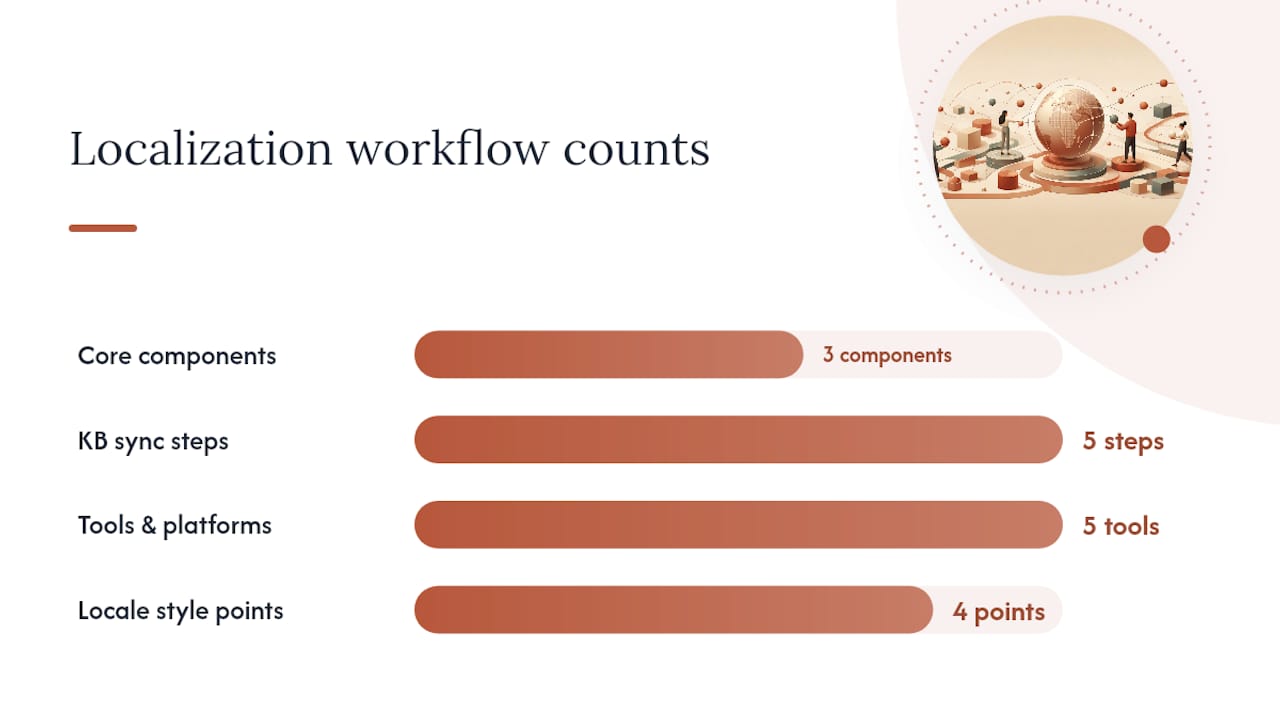
The practical fix is a structured localization workflow with three components: a prioritized glossary, a canonical English source, and translation memory.
Building the glossary first:
- List every product name, service category, policy term, and legal phrase your team uses.
- For each term, define the approved translation and any regional variants (Mexican Spanish vs. Puerto Rican Spanish, for example, differ on several common service terms).
- Flag terms that must never be translated (brand names, legal citations, product codes).
Keeping the KB in sync:
| Step | Action | Owner |
|---|---|---|
| 1 | Tag every KB article with its source language and version number | KB admin |
| 2 | Trigger a translation task when the English source is updated | Workflow automation |
| 3 | Run translated draft through TM to apply glossary terms | Localization tool |
| 4 | Native-speaker review before publishing | Language reviewer |
| 5 | Publish with locale tag and set a review date | KB admin |
Tooling that supports this workflow: Phrase (formerly Memsource), Lokalise, and Crowdin all support translation memory, glossary enforcement, and version control for knowledge base content. For teams already in Zendesk or Freshdesk, both platforms have native localization features that can be extended with these tools.
Pro Tip on style guides: Add a one-page locale style note to your KB for each language. It should cover: preferred register (formal/informal), regional vocabulary preferences, date and number formatting, and any topics that require extra sensitivity in that market. Authentic bilingual service depends on these details more than on translation accuracy alone.
Measuring multilingual support: KPIs and a QA sampling plan
The most common measurement mistake is reporting a single global CSAT score and assuming it reflects every language equally. It does not. Language-aware measurement must include resolution rate by language, escalation rate by language, repeat contact rate, customer correction rate, and confidence-fallback rates to give managers an accurate picture.
Core language-segmented KPIs to track:
- CSAT by language: the clearest signal of whether customers in a given language are getting useful answers.
- First response time (FRT) by language: routing failures show up here first.
- Resolution rate by language: a low resolution rate in Spanish while English is high points directly to a knowledge base or staffing gap.
- Repeat contact rate by language: when translation errors change the meaning of troubleshooting steps, customers write back. A high repeat contact rate in a specific language is almost always a translation quality problem.
- Escalation rate by language: high escalation in a language means your tier-1 automation is not working for that audience.
- Confidence-fallback rate: the percentage of AI-generated replies that fell below your auto-send threshold and routed to a human. Track this per language to see where the model is weakest.
QA sampling plan:
- Set a minimum sample of 20–30 tickets per language per week, regardless of volume.
- Include at least one native-speaker reviewer per language in the QA rotation.
- Score for accuracy, tone, terminology consistency, and placeholder integrity separately.
- Run automated semantic-alignment checks to flag cases where the translated reply diverges significantly from the English source intent.
Pro Tip: Never report multilingual support performance as a single global average to leadership. Present a language-by-language table. The gaps between languages are where the real problems live, and they are invisible in aggregate numbers.
A practical rollout checklist for multilingual support
The most common implementation mistake is trying to launch support in every language at once. Pilot one or two of your highest-volume non-English languages, test on historical tickets, and use conservative automation thresholds. Expand only after you have hit your acceptance KPIs.
Rollout checklist:
- Audit ticket volume by language. Pull 90 days of tickets and tag by detected language. Most teams discover higher non-English volume than expected, concentrated in two or three languages.
- Pick your pilot language. Choose the highest-volume non-English language. For most U.S. businesses, that is Spanish.
- Define acceptance KPIs before you start. Set target CSAT, resolution rate, and repeat contact rate for the pilot language. You need a clear pass/fail line.
- Run the AI model in draft mode on historical tickets. Review outputs manually before enabling any automation.
- Build the glossary and load it into your TM tool. Do this before the pilot goes live, not after.
- Set escalation rules for the pilot language. Define what triggers a human handoff and who receives it.
- Hire or partner for native-speaker coverage. Even one part-time native reviewer changes the quality of your QA program.
- Enable auto-send only for high-confidence cases. Start with a conservative threshold and raise it as QA data accumulates.
- Review pilot KPIs at 30 days. If you are hitting targets, expand to the next language. If not, diagnose before expanding.
Vendor red flags to watch for:
- No language-aware metrics in the reporting dashboard.
- No model failover capability if translation quality drops for a specific language pair.
- No UI localization (the platform itself is English-only).
- No glossary or TM integration.
- No draft mode or confidence-based routing option.
Pro Tip: Ask every vendor candidate to show you a live demo in your target language, not just English. Then ask them to show you what happens when the model is not confident. If they cannot demonstrate a graceful fallback, the product is not ready for production.
How a bilingual digital front desk addresses recurring errors
A bilingual digital front desk eliminates several of the most persistent issues in multilingual customer service by design, rather than as an add-on. For practices serving Spanish-speaking clients, the errors that recur most often, untranslated UI, poor routing, placeholder leaks, and tone mismatches, are structural problems that a purpose-built bilingual system resolves at the architecture level.
Here is how specific errors map to specific capabilities:
- Untranslated UI and templates: a fully optimized bilingual website means every customer-facing string, from the homepage to the appointment confirmation, exists in both Spanish and English from the start.
- Poor language routing: a 24/7 AI receptionist that is fluent in both languages detects the customer’s language at first contact and responds accordingly, without a routing rule that can fail.
- Placeholder and token leaks: purpose-built bilingual templates are tested in both languages before deployment, not translated at send time from an English master.
- Tone and register mismatch: a system built specifically for Spanish-speaking clients in healthcare, dental, and legal contexts uses the appropriate register by default, rather than applying a generic formality setting.
- WhatsApp channel gaps: integrated WhatsApp communication with pre-approved bilingual templates covers the channel where Spanish-speaking clients in the U.S. are most active.
Vendor evaluation questions to ask any bilingual front desk provider:
- Does the system localize the UI shell, or only the reply content?
- How does it handle a message it cannot confidently answer?
- Can you review and approve templates before they go live?
- How are urgent cases escalated to a human, and in which language does the handoff summary arrive?
- What language-segmented metrics does the reporting dashboard show?
The bilingual AI receptionist model answers these questions with a concrete architecture rather than a feature list, which is the right frame for evaluating any vendor in this category.
Pro Tip: When evaluating a bilingual front desk vendor, ask to see a real conversation in Spanish from intake to resolution, including the escalation handoff. A vendor who can only demo in English is not a bilingual vendor.
What managers actually change first
The managers who fix multilingual support fastest share a pattern: they start with information, not technology. Before buying a new tool or hiring a new vendor, they spend one week getting a clear picture of where the failures actually are.
Here is the sequence that produces the fastest results with the least friction:
- Audit ticket volume by language this week. Pull 90 days of data, tag by language, and rank by volume. You will almost certainly find that two or three languages account for the majority of non-English contacts. That ranking is your priority list.
- Enable draft mode on any existing AI or MT tool. Stop auto-sending in languages you cannot read. This one change prevents new errors from accumulating while you fix the existing ones.
- Build a 50-term glossary for your top non-English language. Fifty terms cover the majority of terminology errors in most support contexts. It takes a few hours with a native speaker and immediately improves translation consistency.
- Tag every ticket by language in your CRM. If your platform does not do this automatically, add a manual tagging step. You cannot measure what you have not labeled.
- Route by language at the first contact point. Even a simple IVR option or a web form language selector reduces misrouting dramatically.
None of these steps requires a new vendor contract or a budget approval. They are operational changes that a manager can implement or assign within a single workweek. The technology upgrades, model orchestration, TM tools, bilingual front desk platforms, come after you know which languages matter most and where the specific failures are concentrated.
Diazluna covers the errors most practices cannot fix alone
Dental, legal, and healthcare practices serving Hispanic clients face a specific version of the multilingual support problem: the stakes are high (health decisions, legal matters, financial commitments), the preferred channel is WhatsApp, and the tone expectations are formal but warm. Generic translation tools were not built for that combination.
Diazluna’s bilingual front desk addresses the recurring errors directly. The platform combines a fully optimized bilingual website, a 24/7 AI receptionist fluent in Spanish and English, and WhatsApp integration with pre-approved bilingual templates. Untranslated UI, poor routing, placeholder leaks, and tone mismatches are handled at the architecture level, not patched after the fact.
For practices that have been losing Spanish-speaking clients to language barriers, the practical next step is an audit: how many of your current contacts are in Spanish, and how many of those are being resolved on first contact? Diazluna’s bilingual front desk platform is built to close that gap, with Google indexing within 24 hours of setup and a subscription model that costs a fraction of a traditional agency. If your practice serves Hispanic clients in dentistry, the dental-specific offering covers the full front-desk workflow in both languages.
What managers actually get wrong about multilingual support
The conventional wisdom says the hard part of multilingual customer service is translation. Get the words right, and the rest follows. That is wrong, and it explains why so many teams fix the translation layer and still see poor CSAT in non-English languages.
The actual hard part is measurement. Most support teams have no idea how their Spanish-speaking customers experience the service because they have never looked at the data by language. They report a global CSAT of 4.2 out of 5 and assume that covers everyone. It does not. The Spanish-speaking segment might be at 3.1, and no one knows because the numbers are never separated.
The second mistake is treating multilingual support as a translation project rather than an operations project. Translation is one input. Routing, staffing, QA sampling, knowledge base maintenance, and channel configuration are the others, and they are where most of the failures actually live.
The third mistake, and the one that costs the most, is waiting until a compliance issue or a public complaint forces the conversation. In healthcare and legal services, a mistranslated policy statement or a missed informed-consent disclosure is not just a customer service failure. It is a liability. The teams that get ahead of this problem do so by treating multilingual quality as a standing operational metric, not a one-time localization project.
The quick-wins list in this article is designed to get you to the measurement stage fast. Once you can see the data by language, the fixes become obvious. The audit is not the end of the work. It is the beginning of being able to do the work correctly.
Sources
These sources cover the core research behind the guidance in this article. Each one is worth reading directly if you are evaluating vendors or building a business case for multilingual support investment.